Shopify Breadcrumbs
Get Started
Thank You So Much For your Purchase!!
Below you will find the guidelines on how to install and use our section. Cheers!
Installations
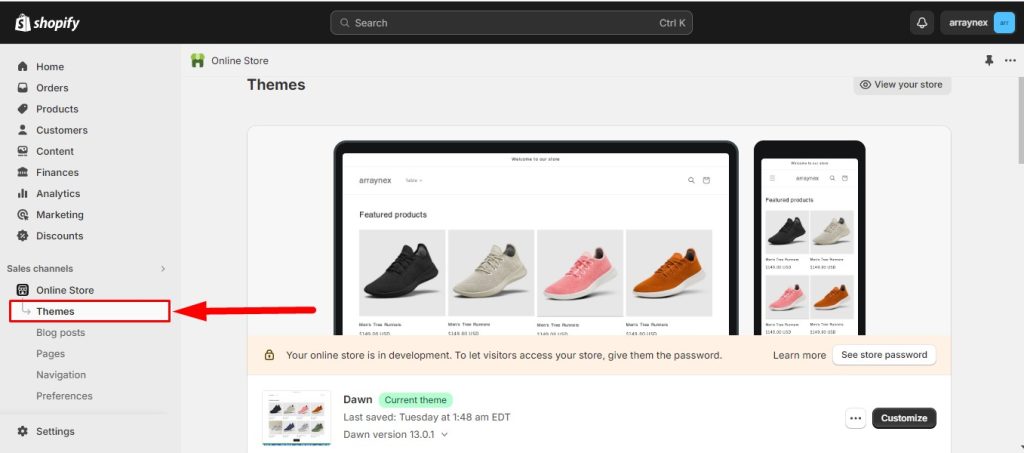
First Login Your Shopify Admin Pannel and Online Store > Themes
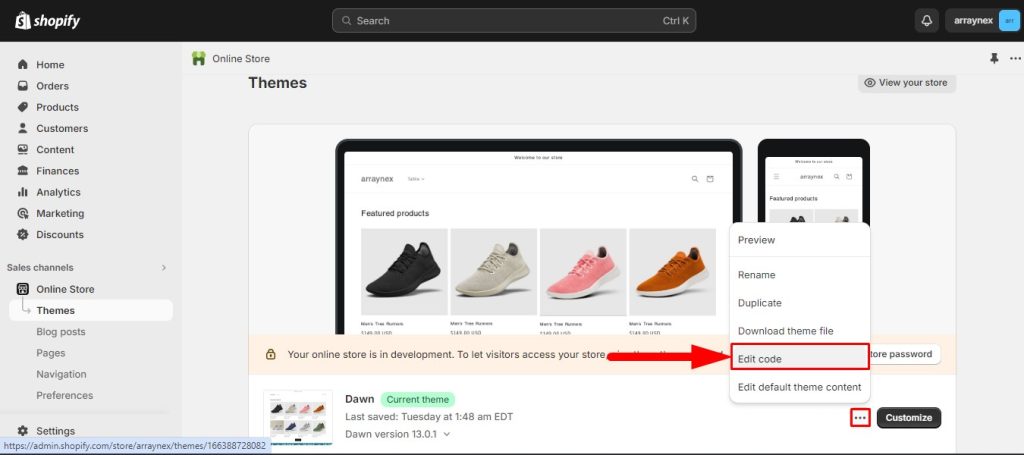
Click Three Dot and Edit Code Options
Find Section Folder
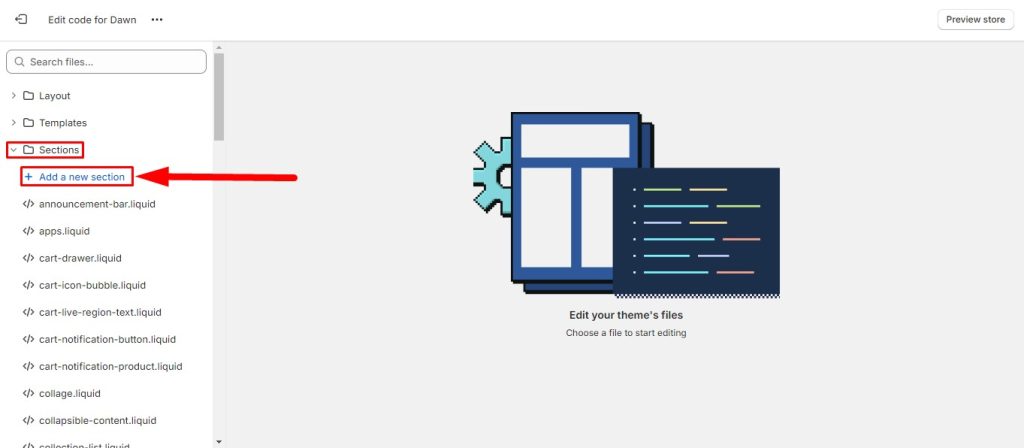
Click add new section and name your liquid file
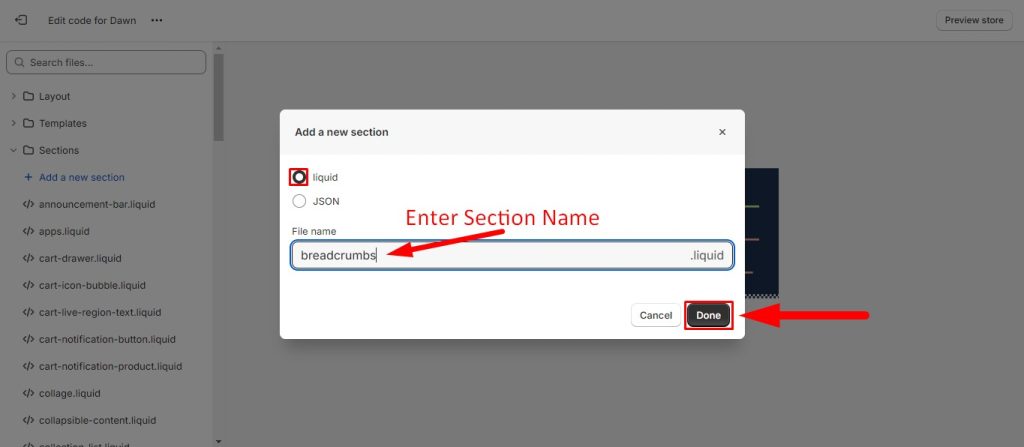
open you recently created liquid breadcrumbs file and remove default liquid code
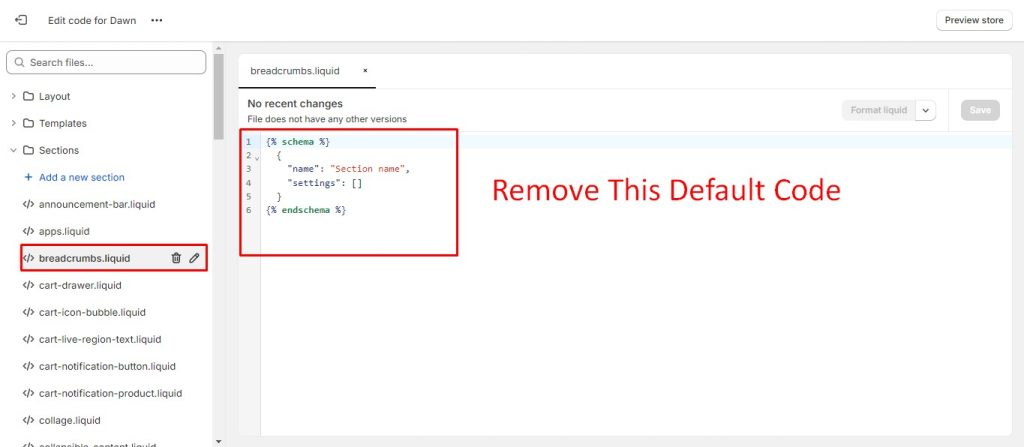
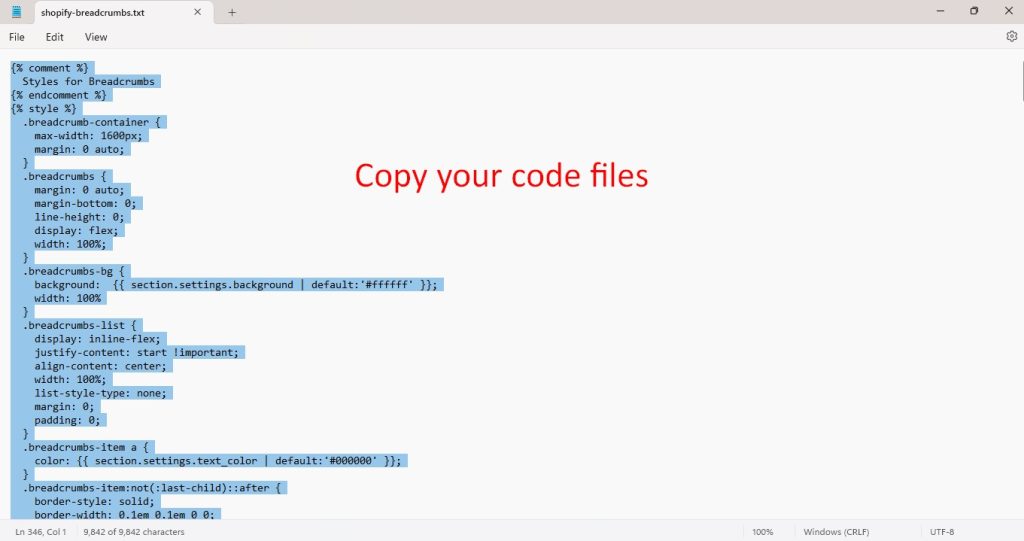
open your purchase section file and open it and copy your code
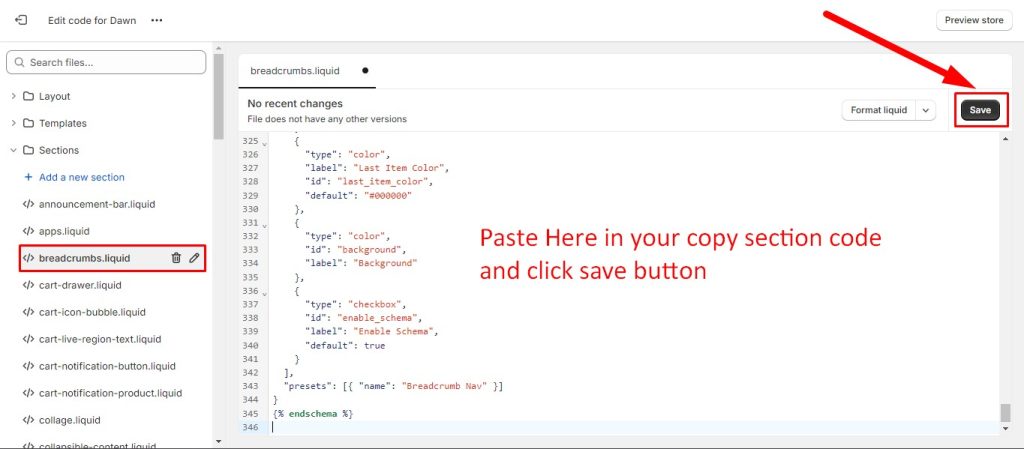
paste your copy code. you recently created your shopify store section and save it
exit here
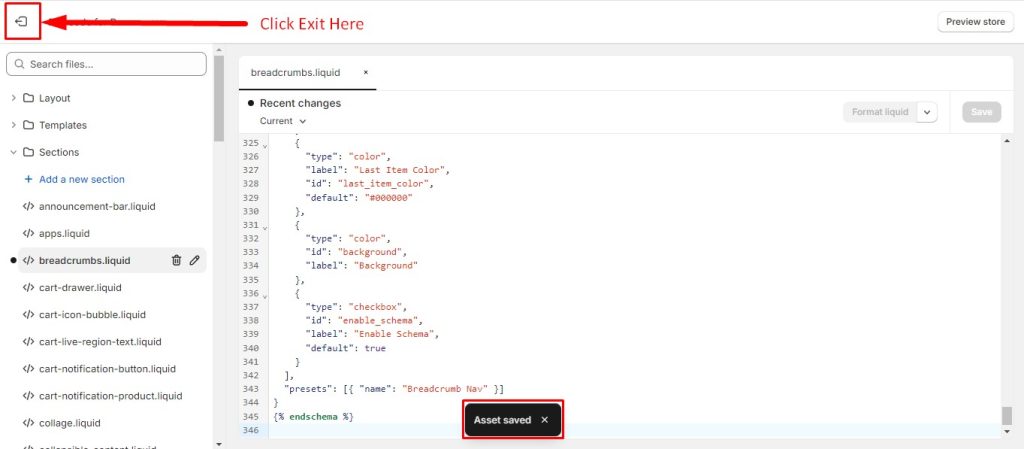
now you have successfully install our shopify breadcrumbs.
Customizations
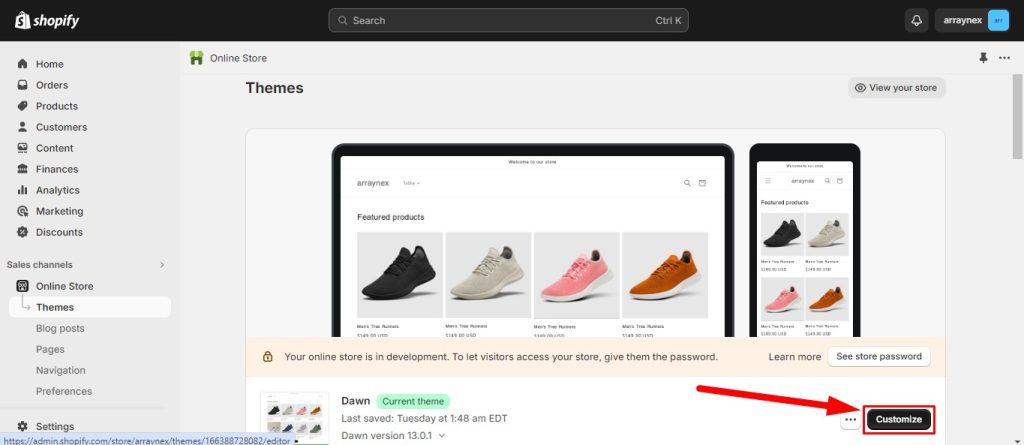
open and click customization button
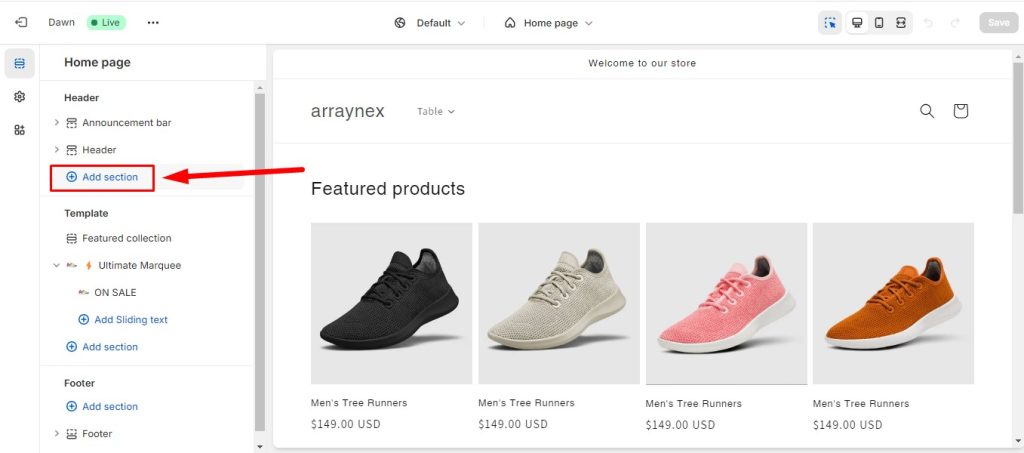
Add your store breadcrumb section in Header Area
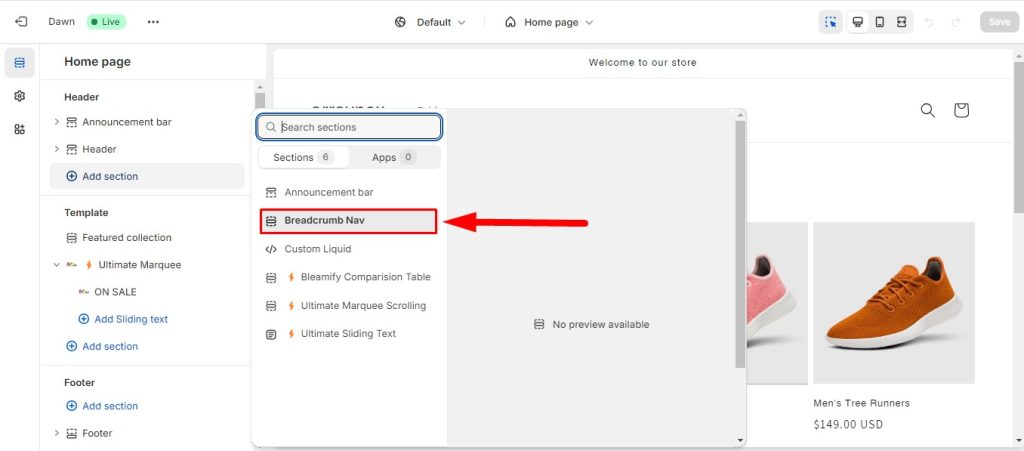
Select our custom breadcrumbs sections
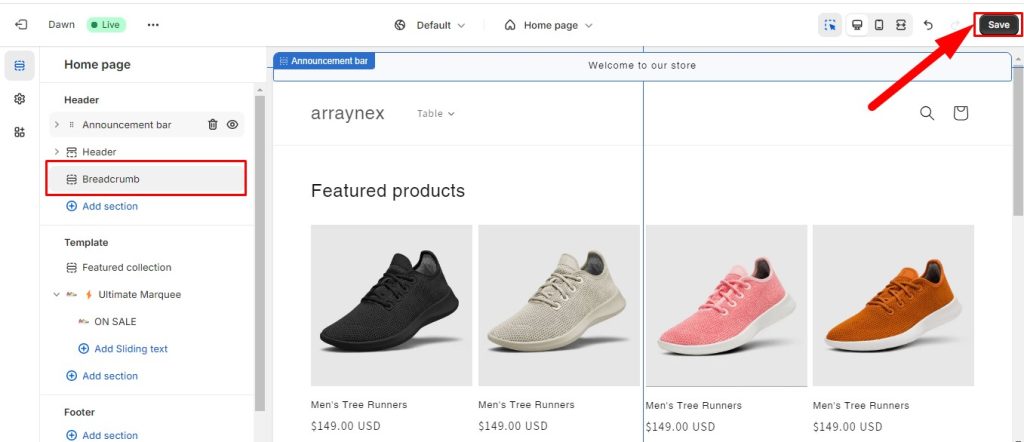
now save this section
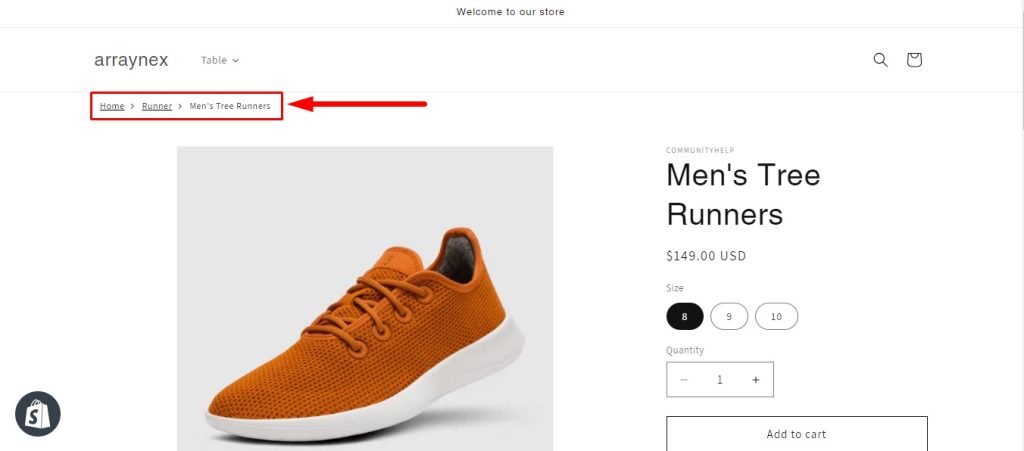
view your store and check product page, collection, or any page. its working all page like this.
Watch Video Customiztions
Help and Support
We are always happy to help and we value our customers. All our files come with User Manual prepared specifically for each product – these help files are located inside your download packages.
Support Channel:
👉 WhatsApp: https://wa.me/8801677000123
📧 Email: arraynex@gmail.com
You Need Installation or Customization Services?
If you need help Installation, Website/Theme Customization or Development, Add Specific Functionality, Custom Theme/Apps Development & Bug Fixing, Please send us request HERE with your requirement. Our expert technical team will help you with some fees.